
Introduction:
A Fun Surprise Hidden in Plain Sight Most people use Google every day to search for answers, directions, or quick facts. But very few know that Google also hides simple games directly inside its search results. One of the most fun examples is Google Block Breaker. This hidden arcade-style game turns a normal search into an instant gaming experience.
Google Block Breaker is a browser-based game inspired by classic block-breaking arcade games. It requires no download, no sign-up, and no special setup. You simply search, tap play, and start enjoying a quick burst of nostalgic fun. Whether you are taking a short break or just curious, this game shows Google’s playful side and proves that even a search engine can be entertaining.
What Is Google Block Breaker?
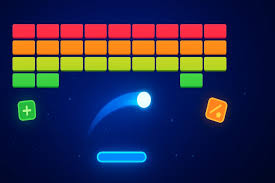
Google Block Breaker is a hidden mini-game that appears directly in Google Search. When users type the keyword “block breaker” into the search bar, a playable game card appears at the top of the results. Clicking the play button launches the game instantly inside the browser.
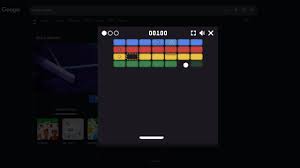
The gameplay follows the classic block breaker formula. A paddle sits at the bottom of the screen, a ball bounces around, and rows of blocks appear at the top. Your goal is to keep the ball in play and break all the blocks without letting the ball fall past your paddle.
This game is part of Google’s collection of Easter eggs. These are hidden features designed to surprise users and add a bit of fun to everyday tasks. Google Block Breaker stands out because it is interactive, simple, and accessible to almost everyone.
The Origins of Block Breaker Games
Block breaker games have a long history in the world of video games. The idea dates back to the 1970s when early arcade games introduced the concept of bouncing a ball to destroy blocks. These games became popular because they were easy to understand but challenging to master.
Over the years, many versions of block breaker games appeared on arcade machines, home consoles, and computers. They often added features like power-ups, faster ball speeds, and complex block patterns. Google Block Breaker takes inspiration from these classic designs and simplifies them for modern web users.
By bringing this concept into Google Search, the company blends retro gaming with modern technology. It allows players to experience a classic game style without needing old hardware or separate gaming platforms.
How to Play Google Block Breaker
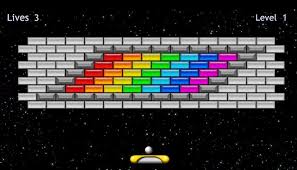
Playing Google Block Breaker is extremely simple. There is no setup or learning curve.
First, open Google Search on your desktop or mobile browser. Type “block breaker” into the search bar. If the game is available in your region, a game card will appear at the top of the page. Click or tap the play button to start.
Once the game begins, the ball launches toward the blocks. Your job is to move the paddle left and right to keep the ball bouncing. Each time the ball hits a block, the block breaks and adds to your score. Clear all the blocks to move to the next level.
Controls and Gameplay Mechanics
The controls are designed to be simple and intuitive, making the game accessible to players of all ages.
On desktop devices, players can use the left and right arrow keys to move the paddle. Some users also find that moving the mouse left and right works smoothly. The game responds quickly, allowing precise control over the paddle.
On mobile devices, touch controls are used. Players drag their finger across the screen to move the paddle. The game automatically adjusts to different screen sizes, making it comfortable to play on both phones and tablets.
The gameplay becomes more challenging as you progress. The ball speeds up, block patterns become more complex, and reactions must be quicker. This gradual increase in difficulty keeps the game engaging without becoming frustrating too quickly.
Game Features and Elements
Although Google Block Breaker looks simple, it includes several features that add depth to the experience.
Some versions of the game include power-ups that fall from broken blocks. These power-ups can increase paddle size, add extra balls, or slow down the ball temporarily. Collecting them at the right time can make higher levels easier to manage.
The game also includes a scoring system. Points are awarded for breaking blocks, and higher levels offer more opportunities to earn points. Players typically start with a limited number of lives, losing one each time the ball falls past the paddle.
Levels are designed to become progressively harder. This encourages players to improve their timing, focus, and control as they advance.
Playing Google Block Breaker on Different Devices
One of the best aspects of Google Block Breaker is its cross-device compatibility.
On desktop computers, the game feels precise and responsive. Keyboard and mouse controls allow for accurate paddle movement, which is helpful as the ball speeds up.
On mobile devices, the game remains smooth and enjoyable. Touch controls feel natural, and the interface scales well to smaller screens. This makes the game perfect for short sessions while commuting or waiting in line.
Because the game runs directly in the browser, it works on most modern devices without requiring extra software or plugins.
Why Google Block Breaker Is So Popular
Google Block Breaker has gained popularity for several reasons.
First, it is incredibly easy to access. There are no downloads, no ads interrupting gameplay, and no account required. This removes common barriers that stop people from trying new games.
Second, it taps into nostalgia. Many players remember block breaker games from their childhood. This familiar gameplay style creates an emotional connection that makes the game more enjoyable.
Finally, the game is perfect for short breaks. Each session can last just a few minutes, making it ideal for quick entertainment without commitment.
Tips to Improve Your Google Block Breaker Skills
If you want to score higher and last longer, a few simple strategies can help.
Pay attention to how the ball hits the paddle. Hitting the ball near the edges of the paddle changes its direction more sharply, which helps you target hard-to-reach blocks.
Stay calm as the game speeds up. Small, controlled movements are more effective than quick, panicked ones.
Focus on collecting power-ups when they appear. They can make a big difference, especially in later levels.
Try to predict where the ball will land rather than reacting at the last second. This improves consistency and reduces mistakes.
Conclusion:
A Simple Game That Delivers Big Fun Google Block Breaker proves that fun does not need to be complicated. By hiding a classic arcade-style game inside its search results, Google offers users a delightful surprise that combines nostalgia with modern convenience.
The game is easy to access, simple to play, and challenging enough to keep players engaged. Whether you are a long-time fan of classic arcade games or just looking for a quick distraction, Google Block Breaker is worth trying at least once.
Next time you open Google, remember that entertainment might be just one search away.
Frequently Asked Questions
What is Google Block Breaker?
Google Block Breaker is a hidden browser-based arcade game that appears in Google Search when you type “block breaker.”
Is Google Block Breaker free to play?
Yes, the game is completely free and does not require any downloads or payments.
Can I play Google Block Breaker on my phone?
Yes, the game works on mobile browsers and supports touch controls.
Do I need a Google account to play?
No, you can play the game without signing in or creating an account.
Does Google Block Breaker save progress?
No, each session starts fresh, and progress is not saved after you close the game.
