
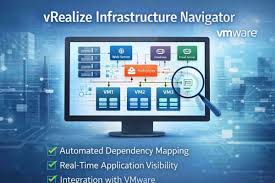
In today’s virtualization-driven IT landscape, understanding how applications interact with each other and with the underlying infrastructure is crucial for operational stability, performance optimization, and security. vRealize Infrastructure Navigator is a VMware-centric tool that provides automated discovery, dependency mapping, and visualization of application relationships within virtual environments. As part of the broader VMware ecosystem, this solution brings clarity to often opaque multicomponent systems, helping administrators plan changes confidently, troubleshoot faster, and reduce risk during migrations or maintenance.
This article explores vRealize Infrastructure Navigator, its core capabilities, benefits, real-world use cases, architectural approach, and considerations regarding its lifecycle and legacy.
Understanding vRealize Infrastructure Navigator
vRealize Infrastructure Navigator (VIN) is an intelligent dependency mapping tool embedded within VMware’s virtualization platform. Unlike traditional monitoring tools that focus primarily on CPU or memory statistics, this solution concentrates on application-level relationships — identifying what is running, where it is running, and how components interact across a virtual environment. This focus on application topology makes it indispensable for IT teams managing complex infrastructures.
VIN automatically scans and detects applications running inside virtual machines managed by vCenter Server. It then generates dependency maps that visualize connections between virtual machines, services, and applications in real time. Because this is done without requiring agents on the virtual machines themselves, it reduces operational overhead and minimizes risk to production systems.
Key Features of vRealize Infrastructure Navigator
1. Automatic Application Discovery
vRealize Infrastructure Navigator continuously scans the virtual environment, detecting applications and the services they host. This agentless discovery uses VMware Tools and network behavior to identify operating systems, web servers, databases, and other components running across virtual machines.
2. Real-Time Dependency Mapping
One of VIN’s most valuable capabilities is its dependency mapping. It generates visual representations of how applications communicate with each other — across ports, protocols, and network connections. These maps help IT teams see not just what exists, but how each component relates to the wider infrastructure.
3. Seamless VMware Integration
A major strength of vRealize Infrastructure Navigator is its deep integration with the VMware ecosystem. It integrates with vCenter Server and the vSphere Web Client, allowing administrators to view and analyze dependency maps without leaving familiar interfaces. It also works with tools like vRealize Operations Manager to enrich performance analytics with contextual application data.
4. Change Impact and Risk Analysis
Before performing upgrades, migrations, or maintenance, IT teams can use VIN to assess how such changes might affect application dependencies. This change impact analysis reduces the risk of unplanned downtime or broken services.
5. Compliance and Documentation Support
The dependency maps and discovery data generated by vRealize Infrastructure Navigator also aid in compliance and audits. By documenting exactly how applications and services interact, teams can demonstrate adherence to internal policies or regulatory standards.
Benefits of Using vRealize Infrastructure Navigator
The practical advantages of VIN extend beyond visualization:
- Improved Visibility: Eliminates blind spots by showing application dependencies and interactions.
- Faster Troubleshooting: Root causes of performance issues can be pinpointed quickly.
- Streamlined Migrations: Helps determine which virtual machines and services must move together.
- Reduced Downtime: Understanding dependencies reduces risk during maintenance windows.
- Smarter Resource Allocation: Supports capacity planning and workload optimization.
These benefits help organizations enhance operational efficiency, reduce risk, and improve resilience across virtual environments.
Real-World Use Cases
vRealize Infrastructure Navigator has been applied across multiple enterprise scenarios:
IT Maintenance and Upgrade Planning
VIN’s maps allow administrators to identify which services might be impacted by patches or major updates, reducing the likelihood of accidental outages.
Application Migration and Cloud Adoption
During cloud migrations or data center consolidations, VIN helps determine which virtual machines and services must move together, ensuring service continuity.
Disaster Recovery and Business Continuity
Dependency data supports disaster recovery planning by helping define recovery groups — ensuring critical applications are restored in proper order during failover.
Compliance Audits
By automating the mapping of application relationships, VIN simplifies documentation for audits and compliance reviews.
Architecture and How It Works

vRealize Infrastructure Navigator operates agentlessly. Once connected to vCenter Server, it analyzes traffic patterns, VMware Tools data, and system signatures to build a comprehensive view of the environment. Visual dependency graphs are continuously updated, showing front-end servers, databases, middleware, and other components and how they interact across workloads.
Lifecycle and Legacy
vRealize Infrastructure Navigator has been deprecated as a standalone product in recent VMware product lifecycles. Its core capabilities, including application discovery and dependency visualization, have been absorbed into newer solutions like VMware Aria Operations for Applications and vRealize Network Insight. While VIN may still be used in legacy vSphere deployments, organizations planning future infrastructure management should consider these modern tools for broader support and advanced analytics.
Despite deprecation, VIN’s influence is notable: it laid the groundwork for application-aware infrastructure analysis and dependency mapping in virtualized environments.
Conclusion
vRealize Infrastructure Navigator represented an important evolution in virtualization management — one that shifted focus from isolated performance metrics to a holistic view of application relationships. By automatically discovering applications, mapping dependencies, and visualizing complex topologies, VIN provided administrators with unprecedented insight into how their systems operated.
Although its standalone lifecycle has ended, the concepts and capabilities embodied by vRealize Infrastructure Navigator live on in modern VMware tools. For organizations still operating older vSphere deployments, VIN remains a valuable part of the infrastructure management toolkit, helping reduce risk, speed troubleshooting, and enhance operational confidence.
FAQs About vRealize Infrastructure Navigator
1. What was vRealize Infrastructure Navigator used for?
It automated discovery and dependency mapping of applications in VMware environments, visualizing relationships between virtual machines and services.
2. Did VIN require agents?
No, it primarily used agentless discovery leveraging VMware Tools and traffic analysis.
3. Can VIN prevent downtime?
Yes, by showing dependencies before changes, it helped reduce unplanned outages.
4. Is vRealize Infrastructure Navigator still supported?
VIN has been phased out as a standalone product, with newer tools replacing its core functionality.
5. What replaced VIN?
Modern VMware Aria solutions and vRealize Network Insight provide advanced dependency analytics for hybrid and cloud environments.
