
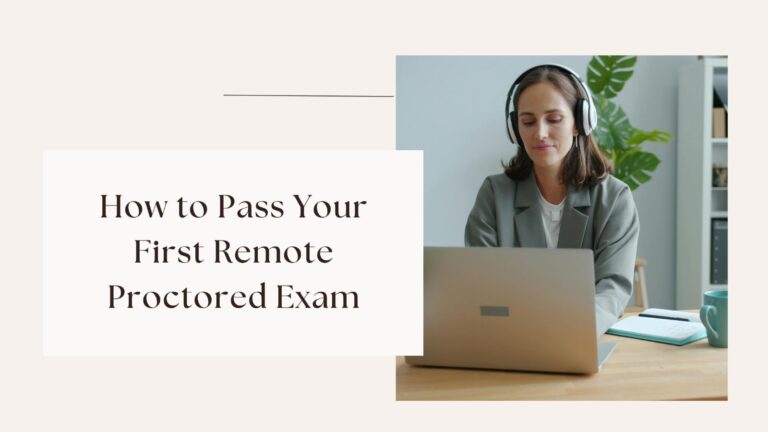
It can be surprisingly terrifying to take your first remote proctored exam. Although you are at home, identity verification, a webcam, microphone access, screen monitoring, room checks, browser limitations, and rigorous timing could still be part of the test environment. Instead of just answering questions, you may be concerned if your camera is working, if your internet will go down, or if an innocent movement would prompt a review.
That uncertainty can feel especially stressful in 2026. Apart from adapting to new technological trends, AI regulations, cybersecurity issues, and digital assessment challenges, college students are now dealing with more digital classes. As per the EDUCAUSE report on Students and Technology 2026, students are adapting to changing technological requirements as well as increased privacy and cybersecurity concerns.
How Do You Define a Remote Proctored Exam?
A remotely proctored exam is an online test conducted via dedicated software, and at times, a human proctor rather than an in-person instructor. Modes of remote supervision depend on your institution and your course:
- Automated Proctoring: Using specialist software (such as Respondus LockDown Browser and Honorlock), your audio, video, and computer screen actions will be captured and then evaluated by your instructor for any suspect conduct.
- Live Remote Proctoring: A human proctor will conduct your examination in real time and help you conduct environmental tests.
- Hybrid Proctoring: This involves a combination of automated identity testing and human help on demand.
When overwhelmed by coursework, students frequently search queries like “can I pay someone to take my online classes for me“, unaware of the severe academic integrity risks and safer institutional alternatives available.
Why Your First Proctored Exam Feels Different
Traditional classroom tests include well-known physical indicators. You are aware of how the instructor usually begins the exam, where to sit, and where to place your items.
Remote exams eliminate many of these indicators.
Rather, your laptop serves as a classroom, testing facility, communication tool, and testing environment. Uncertainty about your ability to resolve a little technical problem might make it feel much more serious.
- Pre-exam Preparation & Check List
Avoid technical problems by auditing your hardware, software, and workspace **at least 24 to 48 hours in advance of exam day.
Hardware & Software Test
- Update Your Browser: Make sure you have the latest version of Chrome, Firefox, or the required browser.
- Test Accessories: Test resolution for camera, audio in from microphone, and audio out from speakers using the proctoring software.
- Close Other Applications: Close any applications that use up computing resources (e.g., Discord, Spotify, Zoom) and browser extensions like ad blockers.
- Internet Connection Test: Connect to the internet using an Ethernet connection or sit near your Wi-Fi router.
Work Area Preparation
- Clean Your Workstation: Eliminate any additional monitors, smartwatches, notebooks, or other unauthorized electronic devices.
- Arrange Proper Lighting: Ensure that any light sources are positioned in front of you to ensure that your face can be seen well.
- Have Required Materials Ready: Have proper identification, permitted scratch paper, and a calculator on hand.
My Checklist for Exams
- College ID read
- Laptop charged
- Charger connected
- Webcam tested
- Microphone tested
- Required software installed
- Browser updated
- Internet tested
- Workspace cleared
- Allowed materials prepared
- Technical-support number saved
Never Guess About Exam Rules
Do not hesitate to ask your instructor or the test center in the event of any confusion with respect to these instructions. For instance, if your syllabus states “Notes on one sheet allowed,” and it is not specified that it has to be handwritten, do not make any assumptions.
Ask for clarification.
Also, contact the relevant college department well before the exam date in the event that you may require some changes made.
What Happens When the Remote Proctored Exam Starts?
Understanding the process ensures that you feel less anxious:
- Authentication: You will sign in using your institutional portal and authenticate yourself using an image from your photo ID card and your webcam image.
- System Diagnosis: The system will test your Internet bandwidth capacity, running background processes, and system compatibility.
- Room Inspection: You might be required to sweep your webcam in a circle within your surroundings and beneath your desk.
- Exam Rules: You should read through the rules of the exam before proceeding to start the questions.
Before searching “can I hire someone who cantake my online exam for me,” consult your university’s academic support center, tutoring services, or disability resource portal for legitimate accommodations.
Protect Your Privacy During Online Proctoring
Data collection during online tests is subject to strict educational guidelines. According to the Office of Student Privacy Policy of the U.S. Department of Education (SPPO), educational technology companies should have rules about retention of student data, institutional control, and data access.
Before test day, check your course syllabus or contact the IT support service at your campus for information about:
- Retention Periods: The period that recorded videos, audio, and screen logs will be kept before their deletion.
- Access Control: Who will be allowed to access the flagged recordings (usually only you and your course instructor).
Questions Worth Asking
Before the test, you can make sure:
- What information does the platform collect?
- How long is recorded information retained?
- Who can access it?
- Is automated analysis used?
- What happens when the system flags something?
- How can students request accommodations?
- What is the technical-support process?
You don’t have to practice privacy law.
All you have to do is be aware of the guidelines for the test you are taking.
Common Remote Proctored Exam Mistakes
Waiting till exam day to test technology.
One of the most significant preventable errors is this. A software problem discovered two minutes before the exam is significantly more difficult to resolve than the same problem discovered three days earlier.
Ignoring the Instructions
Generic online advice cannot substitute for your professor’s exam policy. Examine the exact regulations.
Studying too much the previous evening
Better preparation does not always follow from more hours.
Sleep is important, as is mental clarity.
Using Unapproved Tools.
Use no other device, website, notes, calculator, AI system, or communication tool unless the exam regulations specifically allow it.
Worried About Every Action
Observe the guidelines, but don’t keep an eye on yourself the whole time.
Conclusion
Start early. Check the equipment. Review the rules set forth by your organization. Prepare your workstation. Practice under real conditions. Should you need help, make sure to turn to reliable academic sources. Moreover, should any unexpected situation arise during the test, it is better to follow the formal protocol than improvise.
Remote proctoring, while having legitimate assessment goals, also brings up certain problems connected with students’ well-being, privacy, accessibility, and fairness. As it was recently shown by a research study, students can face certain privacy, stress, and technical issues.
Above all, remember that academic pressure is not the same as academic failure.
FAQs
- What is the best way for me to be ready for my first remote proctored exam?
Plan well in advance. Review your course material, do timed practice questions, confirm that you have an active internet connection, test your webcam and microphone, install any required software, and create a distraction-free environment to take the exam from.
- May I take notes during a remotely proctored exam?
It will depend on whether your instructor or exam rules permit it. Some exams are closed book; others allow some notes or other materials.
- What if I lose my internet connection during the exam?
Be calm and adhere to the approved technical-support protocol that your college or proctoring provider has established. Don’t swap devices or take unlawful actions unless instructed to do so.
