
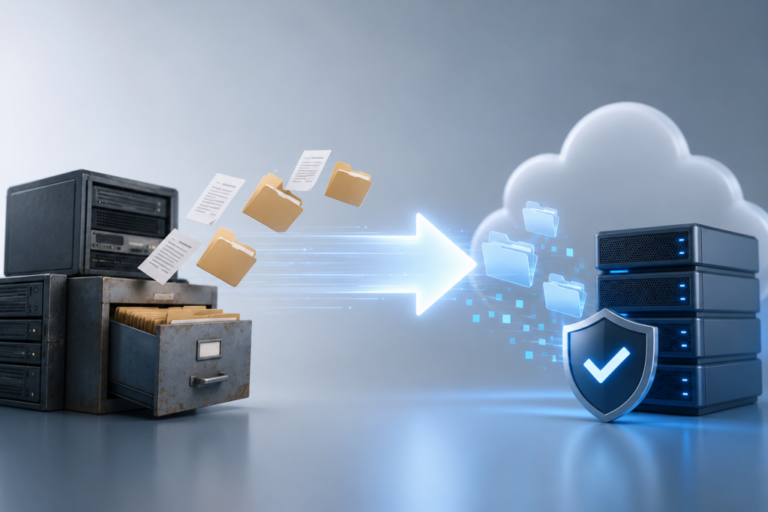
Across enterprise IT environments, one issue keeps resurfacing during infrastructure reviews: legacy file replication tools are still deeply embedded in production systems. Many of these tools were designed for a different era, when data volumes were smaller, environments were more static, and hybrid cloud was not the default.
Today, those assumptions no longer hold. Enterprises operate across multiple clouds, on-premise systems, and edge environments, while data changes continuously and must remain synchronized in real time. Legacy tools struggle under this pressure. They introduce delays, create operational fragility, and often fail to meet modern compliance and resilience expectations.
The challenge is not recognizing the need to replace them. The challenge is doing so without breaking production systems. Migration risk, downtime concerns, and data integrity issues often delay decisions for years.
This guide provides a structured, step-by-step playbook to replace legacy replication tools safely, without disruption, and with full operational confidence.
Step 1: Identify and Classify Existing Replication Workloads
Before replacing any system, organizations must understand what is currently running. Legacy replication tools are often deeply embedded and poorly documented. Different departments may rely on them for critical workflows without central visibility.
Start by creating a complete inventory of replication jobs. Classify them based on:
- Data type: structured, unstructured, application data, logs
- Volume: small, medium, large, and very large datasets
- Frequency: batch, near real-time, or continuous
- Criticality: mission-critical, operational, or non-critical
This classification allows teams to prioritize migration and avoid treating all workloads the same. Mission-critical replication flows should be handled with greater care and more validation steps.
Without this baseline, migration becomes guesswork.
Step 2: Map Dependencies and Hidden Couplings
Replication systems rarely operate in isolation. They feed downstream processes such as analytics pipelines, reporting systems, backups, and application workflows. Replacing a replication tool without understanding these dependencies can create unexpected failures.
Map all upstream and downstream dependencies for each replication flow. Identify:
- Applications relying on replicated data
- Timing dependencies between systems
- Data transformation or processing steps
- External integrations and APIs
This mapping often reveals hidden couplings. For example, a reporting system may depend on replication completing within a specific window, or an application may assume certain file structures that are maintained by the legacy tool.
Understanding these dependencies ensures that replacement does not break business logic.
Step 3: Define Target Architecture Before Migration
Many migration failures occur because organizations move directly from old to new tools without redesigning the architecture. This results in replicating outdated patterns on modern platforms.
Instead, define a target replication architecture that reflects current needs. This should include:
- Continuous replication rather than batch transfers
- Support for hybrid environments across cloud and on-premise
- Incremental change tracking to reduce data movement
- Built-in verification and monitoring
Modern platforms such as EnduraData EDpCloud are designed with all the necessary features for this architecture, supporting cross-platform synchronization and continuous data movement across hybrid environments.
The objective is not to replicate the past. It is to build a future-proof data movement layer.
Step 4: Establish Parallel Replication Pipelines
The most critical principle for risk-free migration is simple: never replace replication in place.
Instead, establish parallel pipelines using the new platform while the legacy system continues to operate. This approach allows both systems to run simultaneously, ensuring that production workflows remain uninterrupted.
During this phase:
- The legacy system continues to serve production workloads
- The new system replicates the same data independently
- Outputs from both systems can be compared and validated
Parallel execution provides a safety net. If issues arise, production remains unaffected because the legacy system is still active.
This step is essential for eliminating downtime.
Step 5: Validate Data Consistency at Scale
Running parallel systems is not enough. Organizations must verify that the new replication platform produces identical results.
Validation should occur at multiple levels:
- File-level checks to confirm data presence
- Checksum or hash comparisons to verify integrity
- Timestamp validation to ensure synchronization accuracy
- Application-level validation to confirm usability
Automated validation tools are critical at scale. Manual checks are insufficient for large datasets and continuous replication flows.
This phase often reveals subtle differences between legacy and modern tools. Resolving these discrepancies early prevents downstream issues after migration.
Step 6: Optimize Data Movement During Transition
Legacy tools often rely on inefficient data transfer methods, copying entire files repeatedly. Modern replication systems use incremental synchronization, transferring only changes.
During migration, organizations should take advantage of this difference.
Optimize data movement by:
- Reducing unnecessary full-file transfers
- Leveraging compression and parallel streams
- Prioritizing high-value datasets
- Scheduling lower-priority transfers during off-peak hours
EnduraData EDpCloud 6.3 introduces enhanced performance capabilities, including optimized parallel transfer handling and improved support for large-scale data movement through AWS S3 and Snowball Edge integration.
These capabilities allow organizations to accelerate migration while controlling network impact.
Step 7: Perform Controlled Cutover with Rollback Capability
Once validation is complete and the new system has demonstrated reliability, organizations can begin the cutover process.
Cutover should not be a single event. It should be controlled and reversible.
Best practices include:
- Switching workloads in phases rather than all at once
- Monitoring system behavior during each phase
- Maintaining the legacy system as a fallback option
- Defining clear rollback procedures
If issues occur, workloads can revert to the legacy system without disruption.
This approach removes the risk typically associated with large-scale system replacements.
Step 8: Monitor Performance and Adjust in Real Time
After cutover, continuous monitoring is essential.
Even well-planned migrations can reveal performance differences under real production load. Monitoring should focus on:
- Replication latency and throughput
- Data integrity metrics
- System resource usage
- Application performance
Modern replication platforms provide detailed telemetry that allows teams to identify bottlenecks and optimize performance.
Adjustments may include tuning transfer settings, redistributing workloads, or optimizing network paths.
The goal is to ensure that the new system not only replaces the old one but improves overall performance.
Step 9: Decommission Legacy Systems Safely
Decommissioning legacy tools should occur only after the new system has been fully validated in production.
Before removal:
- Confirm that all replication flows have been migrated
- Ensure that no applications depend on legacy outputs
- Archive configuration and operational data for reference
- Document the new architecture for future use
Gradual decommissioning reduces risk and ensures that no hidden dependencies remain.
This step also provides an opportunity to clean up unused systems and simplify the overall infrastructure.
Step 10: Build a Continuous Replication Strategy
Replacing a legacy tool is not the end of the process. It is the beginning of a new operational model.
Organizations should use this transition to establish a continuous replication strategy that supports:
- Real-time data synchronization across environments
- Hybrid cloud operations
- Rapid recovery and resilience
- Integration with analytics and AI systems
Replication becomes a foundational layer of infrastructure rather than a supporting tool.
This shift enables organizations to adapt more quickly to changing business requirements and technological environments.
Key Metrics for Measuring Success
To ensure that migration delivers real value, organizations should track measurable outcomes:
- Reduction in replication latency
- Decrease in data transfer volume
- Elimination of downtime during migration
- Improvement in data consistency and integrity
- Faster recovery times in disaster scenarios
These metrics provide objective evidence that the new system is delivering benefits beyond simple replacement.
Common Pitfalls to Avoid
Even with a structured approach, certain pitfalls can undermine migration efforts:
- Attempting in-place replacement instead of parallel execution
- Underestimating dependencies between systems
- Skipping validation due to time pressure
- Ignoring network limitations during large-scale transfers
- Treating replication as a one-time project rather than ongoing infrastructure
Avoiding these mistakes is as important as following the migration steps.
The Strategic Outcome
Replacing legacy replication tools is not just a technical upgrade. It is a strategic transformation.
Modern replication platforms enable continuous data movement, support hybrid environments, and provide the foundation for resilience, compliance, and performance.
Organizations that execute this transition successfully gain more than operational stability. They gain flexibility.
They can move workloads without disruption, scale infrastructure without rebuilding data pipelines, and respond to new requirements without complex migrations.
In a world where data drives every aspect of the enterprise, the ability to move and synchronize that data reliably is no longer optional. It is a core capability.
And the organizations that build it correctly will not only reduce risk. They will move faster, operate more efficiently, and position themselves for the next phase of digital infrastructure evolution. For a broader perspective on resilience and systems thinking, see “The Data Shepherd: Debugging the American Dream”.
Contacts
To enhance the effectiveness of your press release, please include the following media contact information for your company. It allows journalists to easily reach out for additional information, interviews, or clarifications about your announcement.
Contact Person: Adriaan Brits
Email: partners@sitetrail.com
Company Name: EnduraData
